



FAQ
Mango Languages is free for SMC students. You MUST create your Mango profile using a web browser and NOT the mobile app. You may create your profile using a mobile web browser or a laptop web browser. After
your profile is set up, you can use the Mango mobile app if you prefer.
If you are still being asked to subscribe after creating your profile on a web browser,
try these steps:
- Select Try Free Lessons
- Open the menu in the upper corner and select your name.
- (On mobile browsers) Choose Settings and Profile.
- Choose Your Profile
- Select Resend Email beneath the email box
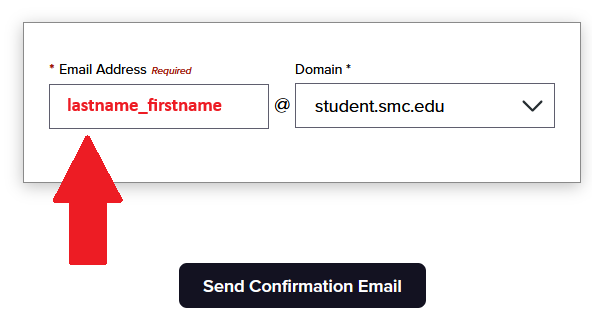
- Check your SMC email for a message from Mango Languages.
- Open the email and select Confirm Email to link your profile to SMC.
You MUST use a web browser to join a Mango group and NOT the mobile app. You may join your group using a mobile web browser or a laptop web browser. After joining, you can use the Mango mobile app if you prefer.
See Joining Your Group for more information.
Select the language you’re studying in the upper-left corner. Progress details appear on the left-hand side.
For more information, visit the Usage and Checking Activity pages.
Progress is saved automatically as you use Mango Languages.
Before troubleshooting your device, reach out to the manufacturer for assistance. Remember to always save your work before troubleshooting.
Here are the initial steps to resolve technical issues:
- Restart your computer or mobile device.
- Close any unnecessary apps or background resources.
- Clear your web browser's cache and cookies. Note that this may sign you out of websites and apps.
- Try using a different web browser, computer, or mobile device if possible.
- Check your Wi-Fi or internet connection and try a different network if possible.
- Check for any available updates for your web browser, computer, or mobile device, and apps.
- If the issue persists, seek assistance from Mango Languages Support or SMC IT Help.